Use a single notice built from three parts: the © symbol (or the word “Copyright” or the abbreviation “Copr.”), the year of first publication, and the owner’s name. Place it where a typical viewer would reasonably expect to find it for that type of work. That’s it. That’s the whole standard.
For most creators, that means:
- Websites: the footer, visible on every page
- Books: the copyright page, right after the title page
- Images: a visible corner or edge, plus embedded file metadata
- Video: opening or closing credits, or in the description
- Audio: the label, container, or embedded file tags
A notice isn’t legally required for anything published in the U.S. after March 1, 1989, but skipping it gives up a real advantage, which the next few sections explain.
Key Takeaways
A valid copyright notice needs the symbol, the year of first publication, and the owner’s name placed where a typical viewer would expect to find it for that medium.
| Point | Details |
|---|---|
| Use the three-part format | Combine ©, the year of first publication, and the owner’s name in one line. |
| Match placement to medium | Footers for websites, copyright pages for books, credits for video, labels for audio. |
| Layer digital protection | Pair visible watermarks with embedded IPTC/XMP metadata since platforms often strip metadata. |
| Notice affects legal outcomes | A visible notice weakens an infringer’s innocent-infringement defense and can raise damages. |
| Avoid illegible or hidden notices | Tiny text, buried code, and metadata-only strategies for shareable images fail the reasonable notice standard. |
Table of Contents
- Copyright Symbol Placement and the Three Elements of a Valid Notice
- Where Should You Place a Copyright Notice by Medium?
- How Do You Type the Copyright Symbol Across Devices and Platforms?
- Does a Copyright Notice Actually Change Your Legal Rights?
- Copy-Ready Copyright Notice Templates for Common Formats
- How Copyrighttoolkit Helps You Get This Right
- What Actually Matters Here, and What Doesn’t
- Sources
Copyright Symbol Placement and the Three Elements of a Valid Notice
A proper notice needs all three pieces sitting together, not scattered across a page. Under 17 U.S.C. § 401, that’s the symbol, the year, and the owner’s name. Miss one, and you’ve got a weaker notice, even if the placement itself is perfect.
- Symbol or word: ©, “Copyright,” or “Copr.” all work
- Year: the year of first publication, not the year you wrote it or the current year
- Owner name: the actual rights holder, which might be a company, not a person
A line like “© 2026 Copyrighttoolkit” satisfies all three in seven words.
Statistic Callout: Notice has been optional in the U.S. since March 1, 1989, when the country joined the Berne Convention. Many works published since then carry no formal notice at all, yet plenty of publishers still use one because of the practical protection it adds.
Compilations and derivative works follow a slightly different rule: the year reflects first publication of the compilation itself, not the older material folded into it. A photo anthology built from decades-old images still gets this year’s date on its own notice.
Where Should You Place a Copyright Notice by Medium?
Placement rules aren’t identical across formats, and the Copyright Office’s compendium gives specific examples for different work types. The unifying test: the notice has to be permanently legible and not concealed from someone examining the work normally.
- Books and periodicals. Put the notice on the copyright page, typically the reverse of the title page. For magazines and journals, it usually sits in the front matter near the masthead or on the first page of text.
- Websites. A site-wide footer works for the whole domain. If individual articles or product pages get republished or scraped separately, consider a page-specific line too, since a footer notice can get stripped out when content is copied elsewhere.
- Images. Use a visible mark in a corner or along an edge, and back it up with IPTC or XMP metadata embedded in the file itself. Visible marks get cropped; metadata often survives.
- Video. Opening credits, closing credits, or an on-screen overlay all satisfy the standard. Repeating the notice in the video description adds a layer that survives if someone downloads and reuploads the clip.
- Audio and phonorecords. Place the notice on the label, the container, or in the file’s embedded tags. Sound recordings use a different symbol, ℗, which covers the specific recording separately from any underlying composition.
- Physical goods. Print the notice on the product itself, on packaging, or in an included manual. Furniture, apparel, and manufactured goods with copyrightable design elements typically carry it on a tag or base.
Pro Tip: Don’t rely on just one location. A footer notice, an embedded metadata tag, and a visible watermark each fail differently, so stacking two or three methods means one nearly always survives whatever happens to the file.
How Do You Type the Copyright Symbol Across Devices and Platforms?
Getting the symbol on the page depends entirely on what you’re typing on. Windows users hold Alt and type 0169 on the numeric keypad. Mac users press Option and G at the same time. On phones, long-pressing the letter “c” on most keyboards brings up a symbol menu with © included, or you can copy it from a page like Copyrighttoolkit’s symbol tool and paste it wherever you need it.
For the web, the HTML named entity © renders the symbol in any browser, and the numeric code © does the same thing if a template strips named entities. Unicode character U+00A9 covers the symbol directly in code or plain text editors that support it.
Metadata matters more than most creators realize. Populate the Copyright and CopyrightNotice fields in a file’s IPTC or XMP data, not just a caption in your editing software, so the information travels with the exported file instead of staying locked in a catalog you control.
- Add the notice to social captions, since platforms frequently strip embedded metadata during upload processing
- Use a visible watermark for images likely to be widely reshared or screenshotted
- Reserve metadata-only protection for work distributed as original files, where the recipient controls the format
Pro Tip: A watermark you can see and metadata nobody notices work as a pair, not a substitute for each other. Rely on metadata alone for anything destined for Instagram or Pinterest, and you should expect it gone within one repost.
Does a Copyright Notice Actually Change Your Legal Rights?
A notice’s biggest practical function isn’t decorative. It closes off a defense. Someone who copies work carrying a visible notice can’t credibly claim they didn’t know it was protected, which strips away the innocent-infringement argument that can otherwise reduce statutory damages.
That’s the core insight from Cornell’s Legal Information Institute: notice is optional after 1989, but including one limits an infringer’s ability to claim they acted innocently, and that can materially affect what a court awards in damages.
The controlling legal standard is “reasonable notice,” and 37 C.F.R. § 201.20 lays out acceptable methods and positions by work type. The test isn’t whether the notice is perfect. It’s whether it’s permanently legible and not concealed from someone examining the work in the ordinary course.
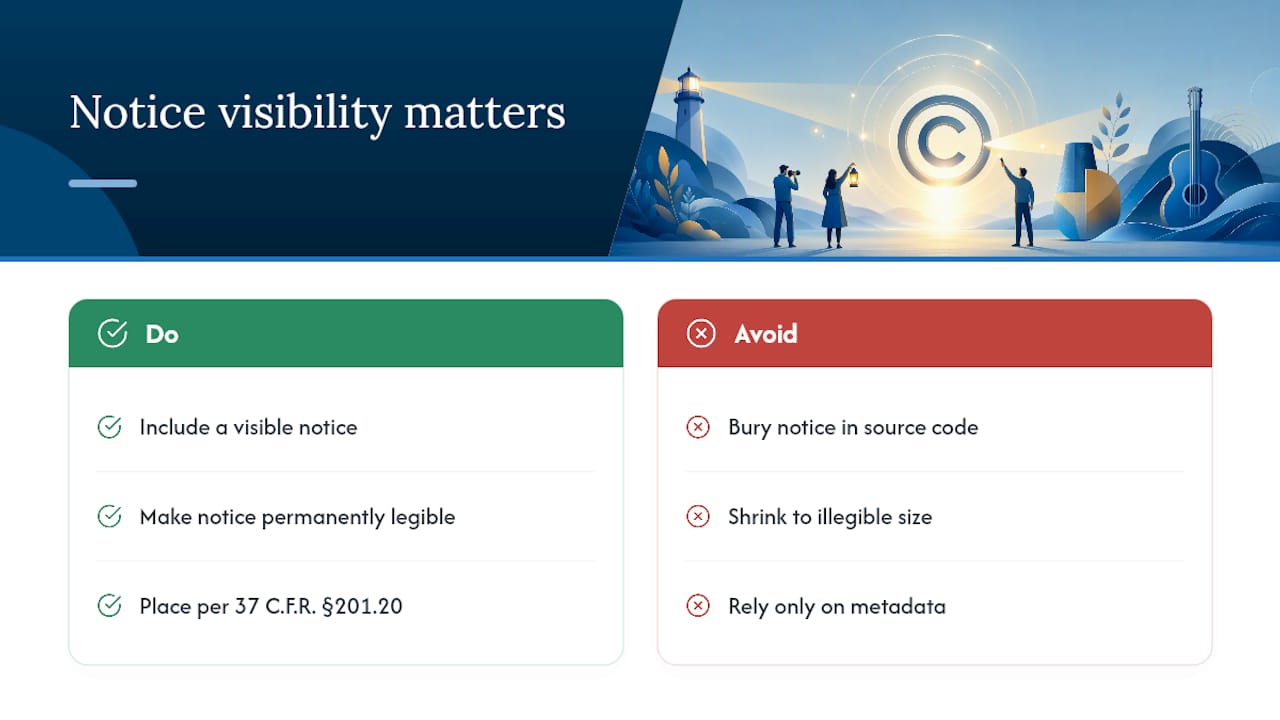
The regulation lists specific acceptable positions for multiple work categories, from motion pictures to machine-readable copies, but treats these as examples rather than an exhaustive list.
Common mistakes: burying the notice in source code nobody reads, shrinking it to illegible size, or relying entirely on metadata for work you know will circulate as screenshots. None of these meet the standard, even though technically “a notice exists somewhere.”
Copy-Ready Copyright Notice Templates for Common Formats
Adapt these directly:
- Website footer: © 2026 [Company Name]. All rights reserved.
- Minimal footer: © 2026 [Your Name]
- Book copyright page: Copyright © 2026 by [Author/Publisher Name]. All rights reserved. No part of this publication may be reproduced without permission.
- Image caption: © 2026 [Photographer Name] — fill the IPTC “Copyright Notice” field with the same line
- Video description: © 2026 [Channel/Owner Name]. All rights reserved.
For a compilation:
- Use the compilation’s own publication year, not the dates of the individual pieces inside it
- Credit the compiler or publisher as owner unless contracts specify otherwise
- List incorporated preexisting works separately if you register the compilation, since the registration form requires that detail even though the notice itself doesn’t
A full walkthrough with more format variations lives on Copyrighttoolkit’s book copyright page guide.
How Copyrighttoolkit Helps You Get This Right
Getting the symbol onto the page is the easy part once you know where to look. Copyrighttoolkit’s symbol copy and paste tool gives you the character instantly along with device shortcuts for Windows, Mac, and mobile, so you’re not hunting through keyboard settings mid-project.
- Copy © or the circled C variant directly, no Alt codes required
- Reference the book copyright page template for a full print layout
- Check the difference between copyright and patent protection if you’re unsure which applies to your work
- Review AI and copyright guidance if your work involves AI-assisted content and you need to know how ownership and marking rules apply
These resources exist because most creators need one specific answer fast, not a full legal education, and that’s exactly what the toolkit is built to deliver.
What Actually Matters Here, and What Doesn’t
Most guidance on this topic obsesses over the symbol itself, Alt codes, Option+G, the right Unicode number, as if typing © correctly were the hard part. It isn’t. The harder judgment call is where a “typical viewer” would actually expect to find your notice, and that varies by medium in ways generic checklists gloss over.
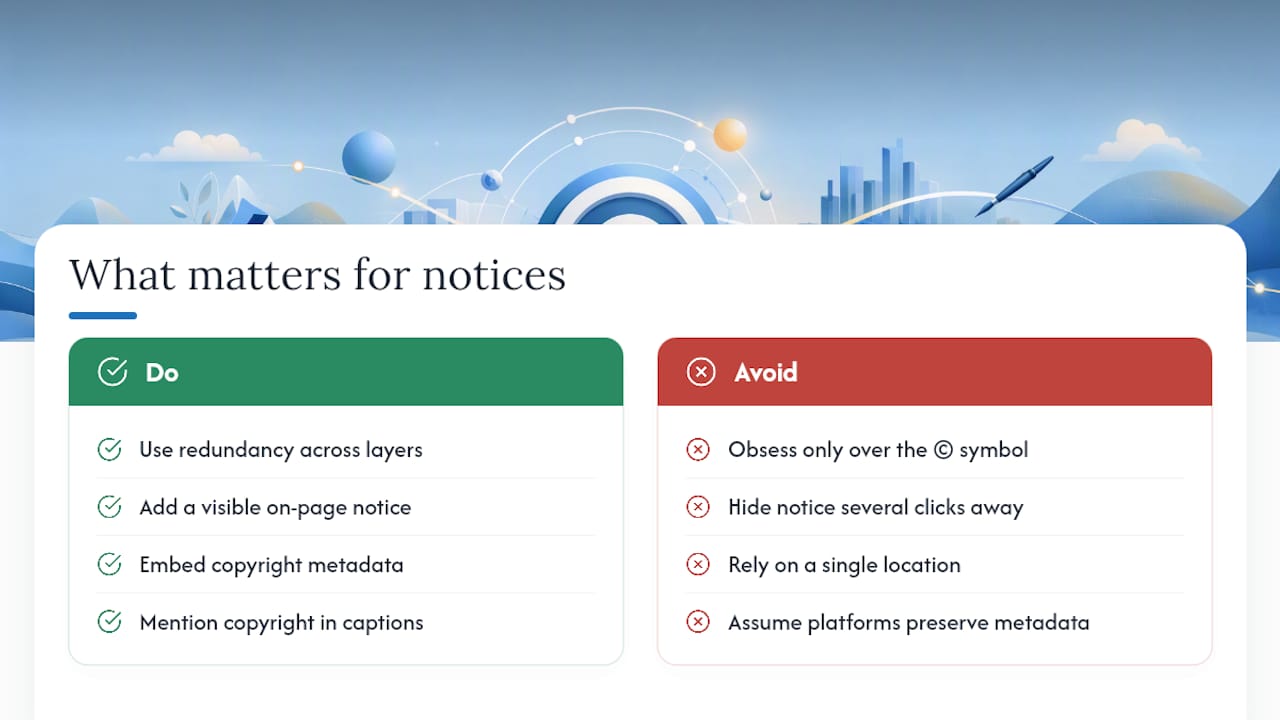
The statute and the CFR give examples, not an exhaustive list, which means creators have more flexibility than most articles suggest, but also more responsibility to think about their specific format. A notice buried three clicks deep on a website footer link satisfies nobody’s reasonable expectation, even if it technically exists somewhere on the domain.
If you take one thing from this: prioritize redundancy over perfection. A visible notice plus embedded metadata plus a caption mention beats one flawless notice sitting in a single spot. Platforms strip data, files get cropped, and screenshots travel without their source. Layering isn’t overkill. It’s how notices actually survive contact with the internet.
— Support
Sources
- 17 U.S.C. § 401: Notice
- U.S. Copyright Office, Compendium: Notice and placement guidance (Chapter 2200)
- § 201.20 – Methods of affixation and positions of the copyright notice on various types of works