The correct U.S. copyright notice format is © [year] [copyright owner name]. Copy one of these and use it now:
- Website or general use: © 2026 Jane Doe. All rights reserved.
- Company or work-for-hire: © 2026 Acme Publishing, Inc.
- Year range (ongoing series or updated edition): © 2019–2026 Jane Doe
- Sound recording (phonorecord): ℗ 2026 Acme Records LLC
The phrase “All rights reserved” is optional under U.S. law but still widely used. For sound recordings, swap © for ℗ (the phonogram symbol). That distinction matters because ℗ signals rights in the recording itself, not just the underlying composition.
Key Takeaways
A correct U.S. copyright notice requires three elements in order: the © symbol or the word “Copyright,” the year of first publication, and the copyright owner’s name — placed where the public will reasonably see it.
| Point | Details |
|---|---|
| Three required elements | Use ©/Copyright/Copr., the year of first publication, and the owner’s legal name, in that order. |
| Placement by medium | Footer for websites, title page verso for books, label or ID3 tag for audio, About screen for apps. |
| Notice vs. registration | Notice is free and immediate; registration is required before suing for statutory damages and attorneys’ fees. |
| Embed metadata too | Pair every visible notice with EXIF/XMP, ID3, or manifest metadata so ownership travels with the file. |
| Copyrighttoolkit | Provides ready-to-copy © and ℗ symbols, HTML entities, and book copyright page templates for fast implementation. |
Table of Contents
- What copyright is and why a notice helps
- Registration vs. notice: which one do you actually need?
- How to write a copyright notice: the three required elements
- Where to place the notice by medium
- How to type © and ℗ on any platform
- Common errors and their consequences
- Fill-in-the-blank examples by medium
- Your pre-publish checklist and ready-to-use templates
- The case for conservative defaults
- Copyrighttoolkit makes symbol insertion and templates faster
- Sources
What copyright is and why a notice helps
Copyright protects original creative expression the moment it is fixed in a tangible medium. Write a song, finish a manuscript, publish a photo — protection attaches automatically. You do not need to file anything. Stanford’s copyright overview puts it plainly: protection runs from fixation onward, covering the expression, not the idea behind it.
A notice does not create that protection. What it does is signal to the world who owns the work and when it was first published. Under 17 U.S.C. §401 and the U.S. Copyright Office’s Circular 3, a properly formatted notice on published copies serves two practical functions: it establishes a public record of ownership, and it cuts off an infringer’s “innocent infringement” defense. That defense, if successful, can dramatically reduce the statutory damages a court awards. A visible notice removes it from the table entirely.
Notice is not the same as registration. Registration is a separate act with separate consequences, covered below. For now, the key point is that notice costs nothing and takes thirty seconds to add.
The Berne Convention, administered by WIPO, means copyright protection is automatic in most countries without any formality. U.S.-specific notice guidance still matters because U.S. law governs remedies in U.S. courts, and the Copyright Office’s standards define what counts as a valid notice here.
Registration vs. notice: which one do you actually need?
Registration is not required for copyright to exist. The U.S. Copyright Office is direct about this: protection is automatic at fixation. Registration, however, is required before you can file an infringement lawsuit seeking statutory damages and attorneys’ fees for most works. Without it, you are limited to actual damages, which are often hard to prove and rarely worth the litigation cost.
The practical recommendation is straightforward. Register before public release for any work you care about financially. Use a notice on every published copy regardless. The two are not substitutes for each other.
One timing detail worth knowing: to claim statutory damages and attorneys’ fees for infringement of a published work, registration must predate the infringement or occur within three months of first publication. Miss that window and you lose those remedies even if you register later.
For creators working with AI-assisted content, ownership questions add another layer. The Copyright Office has published specific guidance on AI and copyright that is worth reading before you register or mark AI-generated work.
How to write a copyright notice: the three required elements
A correct notice contains three elements in this order: the copyright symbol or word, the year of first publication, and the copyright owner’s name. 17 U.S.C. §401 specifies all three.
Element 1: The symbol or word
Acceptable forms are:
- © (the circled C)
- The word Copyright
- The abbreviation Copr.
All three are legally equivalent for visually perceptible copies. The Compendium of U.S. Copyright Office Practices, Chapter 2200, notes that unclear or non-standard variants risk being treated as an omission. A stylized “c” without the circle does not qualify. Neither does a foreign-language equivalent of the word “copyright” used as a substitute for the symbol.
Element 2: Year of first publication
This is the year the work was first distributed to the public, not the year you created it. A manuscript finished in 2024 but published in 2026 carries 2026 as the notice year. For compilations or derivative works, use the year the new material was first published.
Year ranges (© 2019–2026) are appropriate when a work has been updated or when a website accumulates new content over time. Single years are correct for a one-time publication.
The year may be omitted entirely for certain useful articles — greeting cards, toys, jewelry, and similar items — where the year adds no meaningful notice value. That exception comes directly from §401.
Element 3: Copyright owner name
Use the legal name of the individual or entity that owns the copyright. The Compendium allows a recognizable abbreviation or a well-known alternative designation when the full name would be unwieldy. “Acme Pub.” for “Acme Publishing Corporation” works if the abbreviation is recognizable. A pseudonym the author is publicly known by also qualifies.
For works made for hire, the employer or commissioning party is the copyright owner, not the individual creator.
Pro Tip: Always use the year of first publication, not the year of creation. Confusing the two is the single most common formatting error, and it can complicate ownership timelines if a dispute arises.
A note on pre-1989 works: before the Berne Convention Implementation Act took effect on March 1, 1989, notice was mandatory for published works. Omitting or defecting a notice on copies distributed before that date could result in the work entering the public domain. Post-1989, omission does not forfeit protection, but it does leave you exposed to the innocent infringement defense.
Where to place the notice by medium
The governing standard is “reasonable notice” to the public. Affix the notice where someone encountering the work would naturally look. Circular 3 and the Compendium both address placement by medium.

Websites: Footer placement is the universal convention. A site-wide footer notice covers all pages and updates automatically when you change the year. Place it where it is visible without scrolling on most screens.
Books and ebooks: The title page verso (the back of the title page) is standard. The notice typically appears alongside the publisher’s address, ISBN, and edition information. For ebooks, the same page in the front matter applies.
Images: Embed the notice in the image file’s EXIF or XMP metadata. A visible watermark or caption is a strong complement, but metadata survives when an image is shared without its caption. LegalClarity’s placement guide recommends pairing visible notices with metadata for images distributed online.
Apps and software: The “About” screen or the app’s settings page is the accepted location. Include the notice in the app manifest or license file as well.
Sound recordings: Use ℗ on the label, container, or digital metadata. The ℗ symbol specifically covers the sound recording copyright, separate from any underlying composition rights.
Presentations: A footer on the title slide and the final slide covers most use cases. For slides distributed as PDFs, the document properties field is an additional location.
Pro Tip: Embed ownership metadata (EXIF/XMP for images, ID3 tags for audio, manifest entries for apps) in addition to any visible notice. Metadata travels with the file even when the visual notice is cropped or stripped.
How to type © and ℗ on any platform
The © symbol is Unicode character U+00A9. The ℗ symbol is U+2117.
| Platform | © shortcut | ℗ shortcut |
|---|---|---|
| Windows | Alt + (numpad) | Alt + (numpad) |
| macOS | Option + G | No native shortcut; paste from character viewer |
| iOS | Long-press C on keyboard | Copy from character viewer or paste |
| Android | Long-press C in special characters | Copy from emoji/symbol keyboard |
| HTML | © or &# |
&# |
| CSS content | 0A9 |
2117 |
Ready-to-copy HTML footer snippet:
<footer>
<p>© 2026 Your Name or Company. All rights reserved.</p>
</footer>
For image XMP metadata (written in your editing software’s metadata panel):
Copyright: © 2026 Jane Doe. All rights reserved.
Rights: https://janedoe.com/license
For audio ID3 tags (using a tag editor like Mp3tag):
TCOP (Copyright): ℗ 2026 Acme Records LLC
Copyrighttoolkit’s copy-paste symbol tool gives you both symbols ready to insert on any platform, with keyboard shortcut guides for Windows and macOS.
One accessibility note: screen readers may announce © as “copyright” or skip it entirely depending on the reader’s settings. Adding the word “Copyright” alongside the symbol in HTML (or using an aria-label) removes any ambiguity for users relying on assistive technology.
Common errors and their consequences
The most frequent mistakes:
- Wrong year: Using the creation date instead of the first publication date. A work created in 2023 and published in 2026 should read © 2026, not © 2023.
- Missing owner name: A notice that reads only “© 2026” is defective. The owner name is not optional.
- Illegible placement: A notice buried in a 6-point gray font on a gray background may not satisfy the “reasonable notice” standard.
- Non-qualifying variants: A stylized “c,” a circled “C” that is not the standard Unicode character, or a foreign-language word for “copyright” used as the sole indicator does not meet the statutory requirement.
- Outdated year on a live website: A footer that still reads © 2019 on a site updated through 2026 misrepresents the publication timeline.
Practical consequences of errors:
- An infringer can raise the innocent infringement defense, potentially reducing statutory damages to as little as $200 per work.
- Ownership disputes become harder to resolve when the notice names the wrong entity or omits the owner entirely.
- A defective notice on pre-1989 works could mean the work is in the public domain.
- Registration complications arise when the notice year conflicts with the registration application.
When to get legal help: transfers of copyright ownership, works with multiple contributors, works made for hire with ambiguous agreements, and high-value commercial works all warrant a conversation with an intellectual property attorney. Notice formatting is something you can handle yourself; ownership structure often is not. For a clear breakdown of how copyright differs from other IP protections, see Copyright vs. Patent: What Creators Need to Know.
Fill-in-the-blank examples by medium
The table below covers the most common publishing contexts. Adapt the owner name and year to your situation.
| Medium | Symbol | Placement | Example |
|---|---|---|---|
| Website | © | Site-wide footer | © 2026 Jane Doe. All rights reserved. |
| Book / ebook | © | Title page verso | © 2026 Jane Doe. Published by Acme Press. |
| App / software | © | About screen + manifest | © 2026 Acme Software, Inc. |
| Image file | © | EXIF/XMP metadata + caption | © 2026 Jane Doe Photography |
| Presentation | © | Title slide footer | © 2026 Acme Corp. All rights reserved. |
| Sound recording | ℗ | Label, container, ID3 tag | ℗ 2026 Acme Records LLC |
Variations worth knowing:
- Individual author: © 2026 Maria Chen
- Corporate owner: © 2026 Bright Horizon Media, Inc.
- Work made for hire: © 2026 Acme Publishing Corp. (the employer is the owner, not the writer)
- Year range for updated editions: © 2018–2026 Jane Doe
- Portions by others: © 2026 Jane Doe. Foreword © 2026 Robert Kim.
For a full book copyright page template, including ISBN placement, edition notes, and disclaimers, Copyrighttoolkit has a dedicated template page built for authors and publishers.
Creators working with AI-assisted content should review the Copyright Office’s current position before drafting a notice. Copyrighttoolkit’s guide on AI and copyright covers how to register and mark works that include AI-generated elements.

Your pre-publish checklist and ready-to-use templates
Before you publish, run through this sequence:
- Confirm the symbol. Use ©, the word Copyright, or Copr. for visual works. Use ℗ for sound recordings.
- Verify the year. Use the year of first publication, not creation. For updated works, use a year range.
- Name the correct owner. Legal name of the individual, company, or employer for works made for hire.
- Choose placement. Footer for websites, title page verso for books, label or ID3 tag for audio, About screen for apps.
- Check legibility. The notice must be readable. Adequate font size, sufficient contrast.
- Embed metadata. Add EXIF/XMP, ID3, or manifest entries alongside the visible notice.
- Consider registration. For high-value works, register with the U.S. Copyright Office before or within three months of publication.
- Update when ownership changes. A transfer of copyright requires updating the owner name in the notice on new copies going forward.
One-line template:
© [year] [Owner Name]. All rights reserved.
Full book copyright page template:
Copyright © [year] [Author or Publisher Name]
All rights reserved. No part of this publication may be reproduced, distributed, or transmitted in any form or by any means without the prior written permission of the publisher, except in the case of brief quotations embodied in critical reviews and certain other noncommercial uses permitted by copyright law.
Published by [Publisher Name]
[City, State]ISBN: [number]
First edition: [Month Year]
The case for conservative defaults
Most creators underestimate how much a notice does on its own. It does not replace registration, and it does not guarantee a favorable outcome in court. But it costs nothing, takes seconds to add, and removes one of the most commonly used defenses an infringer has.
The sensible default for any published work: add a visible notice, embed the same information in file metadata, and register with the Copyright Office when the work has real commercial value. That combination covers the practical bases without requiring a legal degree or a large budget.
One thing worth saying plainly: the metadata step gets skipped constantly. Photographers strip it out before uploading to social platforms. Podcasters never open their ID3 editor. App developers forget the manifest. A notice that lives only in a visual footer disappears the moment someone screenshots or re-encodes the file. Metadata is the backup that actually travels with the work.
For creators using AI tools, the ownership picture is still evolving. The Copyright Office has signaled that purely AI-generated content without human authorship may not qualify for protection. If your workflow involves generative AI, document your creative contributions and consult the Office’s current guidance before marking or registering the work.
Copyrighttoolkit makes symbol insertion and templates faster
Getting the format right is one thing. Having the symbols and templates ready to paste is another.
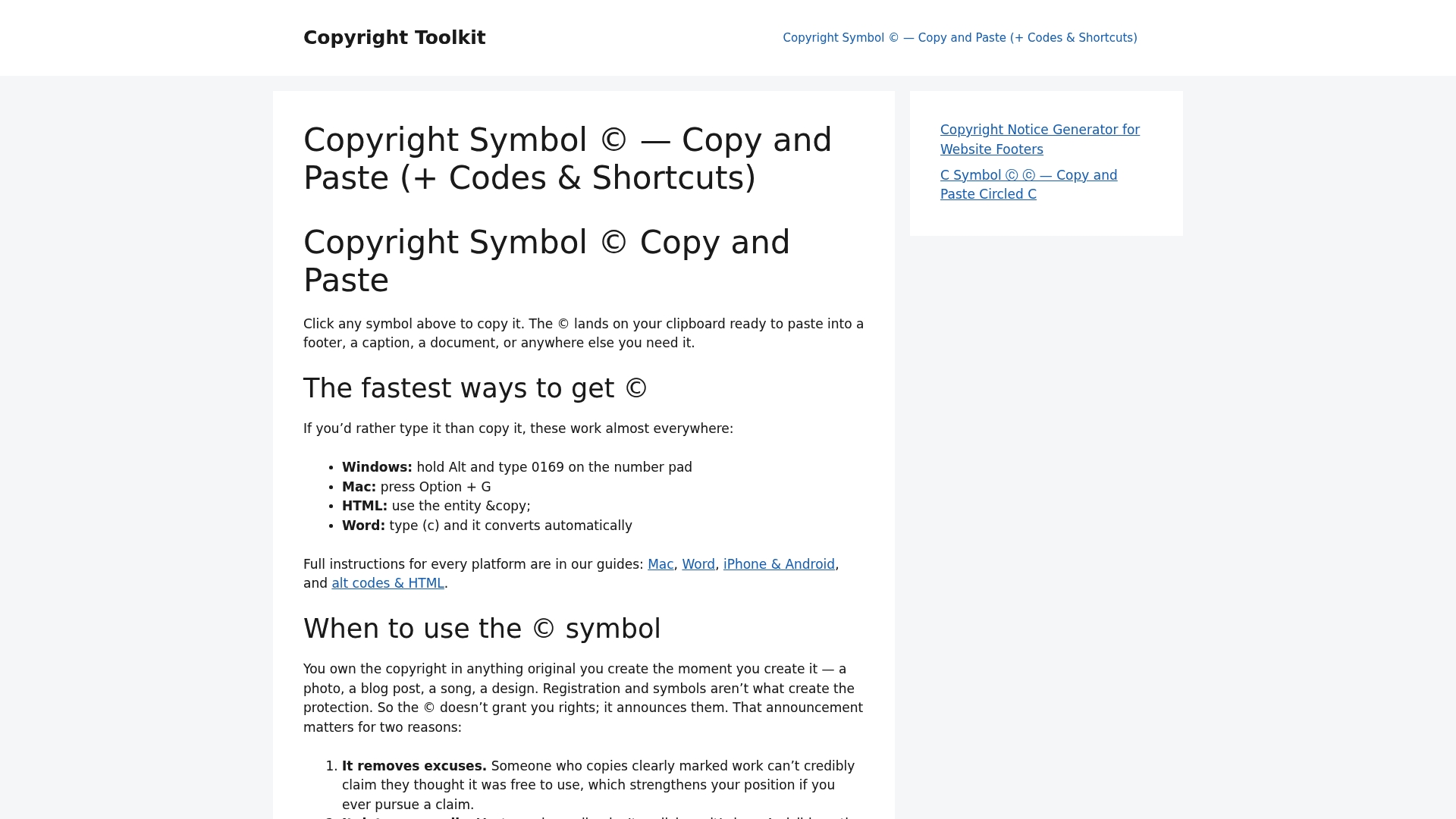
Copyrighttoolkit gives you the © and ℗ symbols ready to copy on any device, with keyboard shortcuts for Windows and macOS, HTML entities for developers, and Unicode references for designers. The book copyright page template covers everything from ISBN placement to edition notes, formatted for both print and ebook front matter. For quick symbol access across platforms, the copy-paste symbol tool is the fastest route. Visit Copyrighttoolkit to grab a template or symbol and have your notice placed in under a minute. This site provides general informational guidance, not legal advice; consult a qualified IP attorney for questions specific to your situation.
Sources
- 17 U.S. Code § 401 – Notice of copyright: Visually perceptible copies
- Circular 3 Copyright Notice
- Copyright Notice Examples: Text, Formats, and Placement – LegalClarity
This article is general information, not a substitute for advice from a qualified lawyer. Consult a qualified legal professional about your own circumstances before acting on anything here.